

Notification Channels
Nobody watches a dashboard. Notification channels push alerts into the places your teams already work, so a critical advisory reaches an on-call engineer rather than waiting for someone to open the console.
Channels are configured per workspace under Settings -> Notification Channels, and require the Manage connectors permission or workspace admin rights.
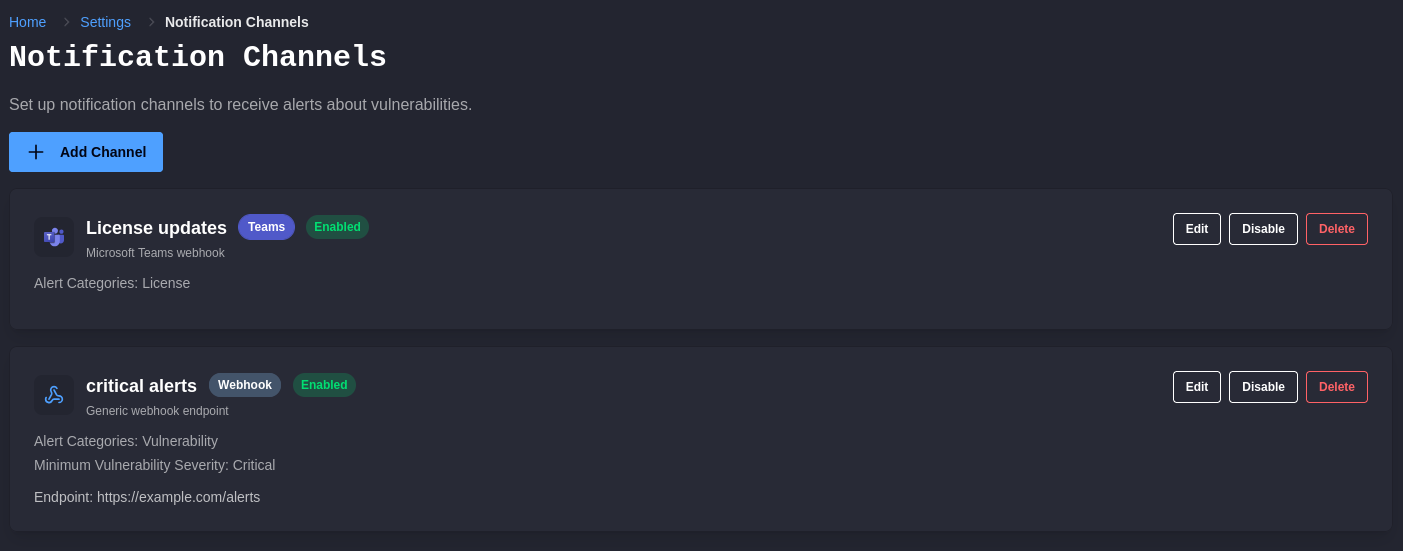
Channel Types
Section titled “Channel Types”Microsoft Teams posts alerts into a channel using an incoming webhook URL created in Teams. Create the incoming webhook on the Teams channel first, then paste the URL into ShieldedStack.
Slack posts alerts into a channel using an incoming webhook URL created in Slack. Create the incoming webhook on the Slack app first, then paste the URL into ShieldedStack. Only https://hooks.slack.com/services/... URLs are accepted, so a Slack channel cannot be pointed at anything but Slack. To send alerts elsewhere, use a webhook channel. Alerts arrive as formatted messages rather than a line of text, with severity, advisory identifier, ecosystem, and the first patched version laid out as fields.
PagerDuty raises incidents through an Events API v2 integration. Add an Events API v2 integration to the service you want paged, then paste its integration key into ShieldedStack. Choose the service region that matches your PagerDuty account, because an integration key issued in one region is rejected by the other.
Webhook sends a JSON payload to an endpoint of your own, for routing into an incident tool, a SIEM, a ticket queue, or an internal service.
Select a type when adding a channel and the form lists the fields it needs. For a webhook these cover the endpoint URL, the HTTP method, a request timeout, and an optional shared secret with control over whether it is sent as a header or a query parameter and under what name.
Deciding What Each Channel Receives
Section titled “Deciding What Each Channel Receives”Every channel is filtered independently, which is what makes several channels useful rather than redundant.
- Alert categories select whether the channel receives vulnerability alerts, license change alerts, or both.
- Minimum severity sets the floor for vulnerability alerts. Anything below it is not sent. Set it to Any severity to receive everything.
A common arrangement is two channels on the same workspace: one to an on-call Teams channel restricted to Critical and High vulnerabilities, and one webhook into a ticket queue that takes everything including license changes, where it can be worked through at a normal pace.
Channels can be disabled without being deleted. Disable one while an endpoint is under maintenance rather than removing it and rebuilding the configuration afterwards.
Channel filtering decides what gets sent. The Vulnerability Alert Cooldown on the Settings page decides what gets raised in the first place, and applies to the portal and every channel alike. If a channel is repeating itself, check the cooldown before adjusting the channel. See Alerts and Triage.
Webhook Payloads
Section titled “Webhook Payloads”Webhook deliveries are JSON. Every payload has an alertType and an alert object, so a receiver can switch on the type and read the fields it cares about.
A vulnerability alert:
{ "alertType": "vulnerability", "alert": { "id": "...", "severity": "High", "title": "Vulnerability found in 'example-package'@1.4.2'", "description": "Short advisory description", "createdAtUtc": "2026-09-02T09:14:22Z", "ecosystem": "Npm", "packageName": "example-package", "version": "1.4.2", "cveId": "CVE-2026-12345", "cvss": "8.7", "firstPatchedVersion": "1.4.3", "remediation": "Upgrade guidance for this ecosystem", "observation": { } }}A license change alert:
{ "alertType": "licenseChange", "alert": { "id": "...", "severity": "Warning", "title": "License changed for 'example-package'", "description": "License changed from 'MIT' to 'BUSL-1.1'", "createdAtUtc": "2026-09-02T09:14:22Z", "ecosystem": "Npm", "packageName": "example-package", "previousLicense": "MIT", "newLicense": "BUSL-1.1" }}Treat the payload as additive: build receivers that read the fields they need and ignore the rest, so a future field does not break your integration.
Verifying Deliveries
Section titled “Verifying Deliveries”Set a shared secret and have your receiver reject requests that do not carry it. The secret is sent either as a request header or as a query parameter, whichever placement you choose, under the name you give it. A header is the better default, because query parameters have a habit of ending up in access logs.
Custom headers are sent with every delivery, for receivers that expect an API key or a routing header of their own. Each one has to be a valid HTTP header: a name made of letters, digits and standard token punctuation, and a value of printable ASCII on a single line. Headers the delivery sets itself, such as Content-Type, Host, Idempotency-Key and the shared secret’s header, cannot be overridden. A channel that breaks these rules is rejected when it is saved, with a message naming the header.
Point the endpoint at something you control and confirm the first delivery arrives before relying on the channel. A webhook that silently fails looks exactly like a workspace with no alerts.
PagerDuty Incidents
Section titled “PagerDuty Incidents”Each alert is sent as a trigger event carrying a deduplication key built from the workspace, the package, the version, and the advisory. PagerDuty groups repeat events that share a key onto the open incident, so an advisory that is raised again does not open a second incident while the first is still open.
ShieldedStack does not send resolve events. An incident stays open until someone resolves it in PagerDuty, including after the underlying package has been upgraded. Treat a ShieldedStack incident as a prompt to act rather than a live status of the package, and resolve it as part of doing the upgrade.
A Slack or PagerDuty delivery that the provider rejects outright, such as a webhook that has been deleted in Slack or a routing key PagerDuty no longer recognises, is recorded as failed straight away rather than being retried, because the same request cannot succeed later. Throttling and provider outages are retried as normal. If alerts stop arriving at one of these channels while still appearing in the console, check the channel’s credential first.
Severity maps onto PagerDuty severities as Critical to critical, High to error, Medium to warning, and Low or unrated to info. License change alerts are sent as warning.
Choosing Thresholds
Section titled “Choosing Thresholds”The temptation is to send everything everywhere, which produces a channel people mute within a fortnight. A channel is useful only if its arrival rate matches the attention it is meant to get.
| Destination | A reasonable setting |
|---|---|
| PagerDuty service that pages someone | Vulnerability alerts only, minimum severity Critical |
| On-call or incident channel | Vulnerability alerts only, minimum severity Critical or High |
| Team channel for the owning squad | Vulnerability and license alerts, minimum severity Medium |
| Ticket queue or SIEM | All categories, any severity, deduplicated on your side |
| Compliance or legal | License alerts only |
If a channel is too noisy, the fix is usually a higher severity floor or a longer cooldown, not turning the channel off. If it is too quiet, check that the alerts exist in the console at all before assuming delivery is broken.